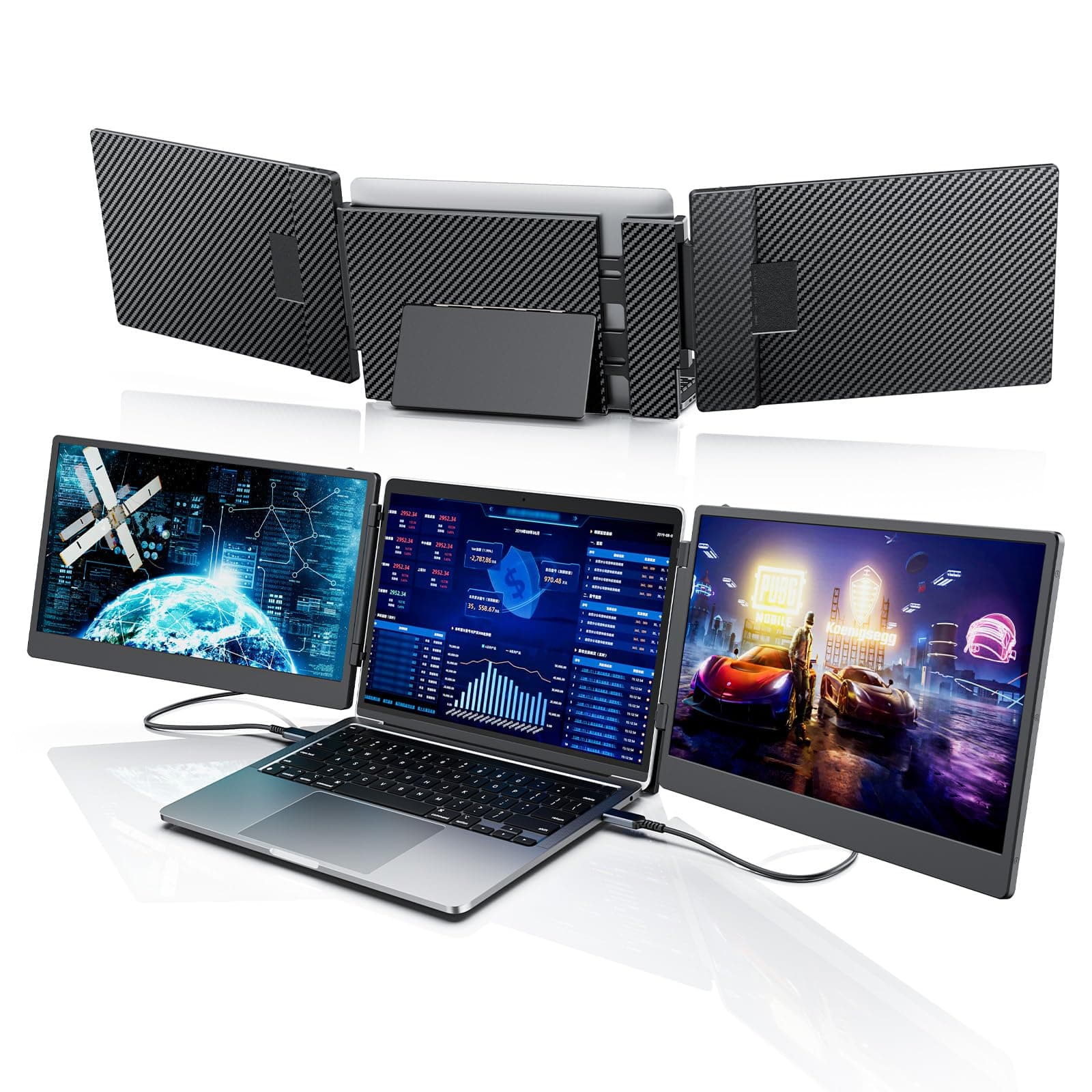
XtendView Duo Pro
The dual-screen setup for serious daily work. The Duo Pro pairs two 14" Full HD panels with your laptop for a stable, reliable triple-screen workspace — built for people who live in their multitasking setup, not just travel with it.
- Two 14" Full HD (1080p) IPS displays
- Built for stable, everyday productivity
- Sturdier desk-stand build, ships with 2 HDMI cables
- USB-C or HDMI connection
- Plug & play — no drivers
£259
Why Choose the Duo Pro?
Reliable dual-screen productivity for people who work the same way every day.
Built for Daily Use
A premium build for people whose dual-screen setup is their main workspace, not an occasional add-on.
Triple-Screen Productivity
Two 14" panels plus your laptop — spread out code, docs, calls, and reference without tab-switching.
No-Driver Simplicity
Connect over USB-C or HDMI and go. Full plug-and-play on Windows and higher-tier Macs.
Specifications
| Screens | Two 14" displays |
| Resolution | 1920 × 1080 (Full HD) per screen |
| Panel | IPS, wide viewing angle |
| Brightness | 300 nits |
| Refresh Rate | 60Hz |
| Weight | 2.15 kg (4.7 lb) |
| Folded Size | 352 × 216 × 36.7 mm |
| Connectivity | 3× USB-C ports — full-featured USB-C or HDMI via the included HDMI-to-USB-C cables |
| In the Box | Host unit, 2× USB-A-to-C cables, 2× USB-C-to-C cables, 2× HDMI-to-C cables, carry bag |
| Setup | Plug & play, no drivers |
| Compatibility | Windows, macOS, Linux, ChromeOS · fits 13"–17.3" laptops |
| Warranty | 2-year warranty, UK-based support |
On a base M1/M2 Mac? Two external screens may need DisplayLink — see the compatibility guide.
Compare the Range
Before You Buy
Will It Work With Your Laptop?
Check USB-C video support, Mac chip limits, and ports.
Boost Productivity by 42%
Proven strategies to get the most from a dual-screen setup.
Best Laptop Screen Extender
Our full buying guide: what to look for and our top pick.
Best for Productivity
What matters for a reliable, everyday dual-screen setup.